
Wondering what WordPress is or whether it’s still worth using in 2026?
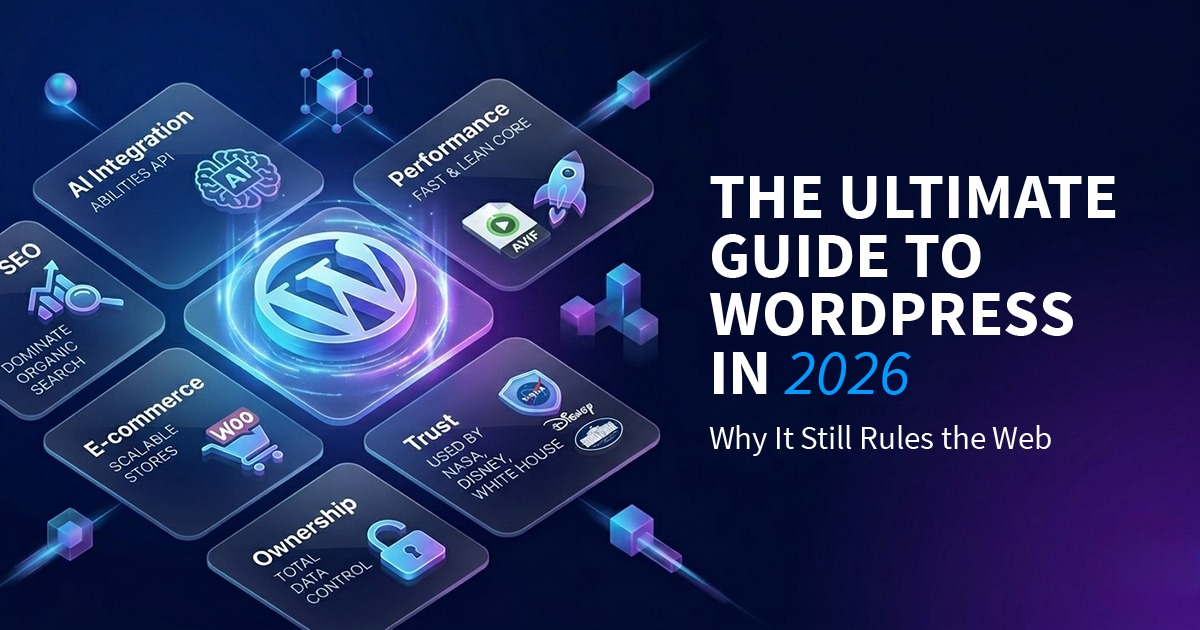
Even with the explosion of AI website builders and no-code tools, WordPress remains the backbone of the modern web. As of March 2026, nearly 43% of all websites run on WordPress—a level of trust earned through flexibility, ownership, and long-term scalability.
This guide explains why it’s the most powerful tool for your digital future.
1. What Is WordPress?
WordPress is a Content Management System (CMS)—software that allows you to create, manage, and update a website through a user-friendly visual dashboard. Instead of writing code for every change, you can publish blog posts, update pages, upload images, and manage users with just a few clicks.
WordPress separates content, design, and functionality, which is why it works equally well for beginners and professional developers. You focus on creating content, while WordPress handles how that content is stored, displayed, and delivered to visitors.
Think of WordPress Like an Operating System for Your Website
Just as iOS runs an iPhone or Windows runs a PC, WordPress runs your website behind the scenes. It acts as the central system that controls every major part of your site:
- 📝 Content Management
Create, edit, schedule, and organize pages, blog posts, and custom content types. - 🖼️ Media Management
Upload and manage images, videos, PDFs, and galleries from a built-in media library. - 🏗️ Design & Layout
Control layouts, colors, typography, and branding using themes and the visual block editor—without touching code. - 👥 User Roles & Permissions
Assign roles like admin, editor, author, or contributor to control who can access and modify different parts of your site.
2. WordPress.org vs. WordPress.com: The Crucial Choice
The biggest mistake beginners make is choosing the wrong version of WordPress. While the names sound similar, the experience—and your level of control—are completely different.
🔓 WordPress.org — The Real WordPress
WordPress.org is free, open-source software that you install on your own web hosting.
With WordPress.org, you get:
- 100% ownership of your website and data
- Unlimited access to themes and plugins
- Full control over SEO, performance, and security
- The freedom to customize or scale your site at any time
Think of it like an unlocked padlock—you own the keys and decide how everything works.
🔒 WordPress.com — The Paid Service
WordPress.com is a hosted, subscription-based service that runs WordPress for you.
With WordPress.com:
- You pay monthly fees for basic features
- Plugins and advanced customization are restricted on lower plans
- You don’t fully own the platform—only your content
- Scaling and flexibility depend on your plan
It’s like a locked padlock—the platform controls what you can and can’t do.
👨💻 Developer Advice: For a professional business or brand, always choose WordPress.org. Ownership is the foundation of your digital success.
3. Why WordPress Dominates in 2026
WordPress has survived because it evolves. Here is what makes the 2026 version (WP 6.9+) special:
- Real-time Collaboration: You can now leave “Notes” and tag team members directly in the editor, just like a Google Doc.
- AI-Ready Infrastructure: With the new Abilities API, WordPress can now talk to AI agents to help you automate SEO, writing, and image generation.
- Lightspeed Performance: Native support for WebP and AVIF images makes WordPress faster than “drag-and-drop” builders like Wix.
4. Themes & Plugins: Your Website’s Superpowers
- Themes (Design): Modern “Block Themes” let you visually edit your header, footer, and templates without needing a developer for every change.
- Plugins (Features): With 60,000+ free plugins, you can turn your site into anything.
- E-commerce? Use WooCommerce.
- SEO? Use Rank Math or Yoast.
- Performance & security: Caching, firewalls, backups, and more
Together, themes and plugins turn WordPress into a fully customizable, powerful website platform—far beyond what most “drag-and-drop” builders can do.
5. Is WordPress Safe?
Yes. WordPress is highly secure—but like any platform, it requires proper maintenance.
- Keep it Updated: Most hacks occur on sites with outdated plugins, themes, or WordPress core.
- Trusted by the Biggest Names: Organizations like the White House, NASA, and major enterprises run WordPress safely every day.
- Extra Protection: Security plugins, strong passwords, and regular backups make your site even safer.
With basic maintenance, WordPress is one of the safest platforms for websites of any size.
6. WordPress in the Wild: Who Uses It?
You are in good company. The most trusted brands in the world use WordPress to manage their massive traffic:
- Government: The White House (whitehouse.gov) and NASA.
- Tech: Microsoft News, Meta Newsroom, and the PlayStation Blog.
- Media & Publishing: TIME Magazine, Rolling Stone, CNN Press Room, and Vogue.
- Business & Brands: The Walt Disney Company, Sony Music, and Toyota.
From government agencies to global brands, WordPress proves it can scale, perform, and stay secure—making it suitable for any website, big or small.
🔗 Want more inspiration? Check out my full list of the [Most Popular Sites Using WordPress in 2026] to see how these global giants use the platform.
7. Can WordPress Be Used for an Online Store?
Yes. WordPress can power a fully functional online store when combined with WooCommerce, the world’s most popular e-commerce plugin.
WooCommerce transforms a standard WordPress website into a complete e-commerce platform, allowing you to sell physical products, digital downloads, subscriptions, and services—all from your own website.
What You Can Do With a WordPress Online Store
With WordPress + WooCommerce, you can:
- 🛒 Manage Products
Add unlimited products, variations (size, color), pricing, stock levels, and SKUs. - 💳 Accept Payments
Support credit cards, digital wallets, and region-specific payment gateways. - 📦 Handle Shipping & Taxes
Configure shipping zones, rates, local taxes, and automated calculations. - 📈 Track Orders & Customers
View sales reports, manage orders, issue refunds, and track customer activity. - 🎨 Fully Customize Your Store
Control your checkout flow, product pages, branding, and user experience—without platform restrictions.
Why Businesses Choose WordPress for E-Commerce
Unlike closed platforms, WordPress gives you:
- Full ownership of your store and customer data
- No mandatory monthly platform fees
- Unlimited customization and scalability
- Better SEO control for product pages and content marketing
This is why WordPress is widely used for small businesses, growing brands, and content-driven online stores that want long-term flexibility.
8. WordPress vs. The Competition
| Feature | WordPress.org (Self-Hosted) | Wix / Squarespace | Shopify |
| Data Ownership | ✅ Full control—you own everything | ❌ Limited—you rent space | ❌ Limited—you rent space |
| SEO Capabilities | ⭐⭐⭐⭐⭐ Excellent, fully customizable | ⭐⭐⭐ Basic SEO tools | ⭐⭐⭐⭐ Strong but platform-dependent |
| Monthly Cost | 💰 Low (Hosting only) | 💰💰 Mid-range subscription | 💰💰💰 Subscription + transaction fees |
| Customization | ✅ Unlimited themes & plugins | ⚠️ Limited templates & apps | ⚠️ Mostly e-commerce focused |
| E-commerce Ready | ✅ WooCommerce & plugins | ⚠️ Basic online store | ✅ Dedicated online store tools |
| Maintenance | ⚠️ Self-managed updates & security | ✅ Managed for you | ✅ Managed for you |
Why this matters:
WordPress gives full ownership, flexibility, and scalability—making it ideal for bloggers, businesses, and online stores. Wix/Squarespace are easier to start but limited long-term, while Shopify is strong for e-commerce but less flexible for content-heavy sites.
9. How to Get Started in 15 Minutes
- Get Hosting – Choose a provider that offers one-click WordPress installation. Most managed hosts handle the setup automatically.
- Clean Up – Delete the default “Hello World” post and sample pages to start fresh.
- Pick a Theme – Select a lightweight, fast theme like Astra or Hello Elementor to ensure speed and flexibility.
- Install Essentials – Add at least one SEO plugin (Rank Math or Yoast) and one security plugin (Wordfence or iThemes Security).
- Start Creating – Add your first pages or blog post and explore the block editor to get familiar with layouts.
Tip: By following these steps, you can have a professional WordPress site up and running in under 15 minutes.
Conclusion: Your Site, Your Rules
WordPress remains the top choice in 2026 because it grows with you. It gives you full control, never locks you in, and lets you scale from a simple blog to a full-fledged business or online store.
Whether you’re starting your first site or upgrading an existing one, WordPress gives you the freedom, flexibility, and power to bring your ideas to life.
Ready to launch your project? If you want a professional full stack developer to handle your setup, security, and e-commerce optimization, [Contact me today] for a free consultation!